Racquet AI – Stroke Analysis
How to use Racquet AI
Upload your match video and get stroke analysis with time breakdowns.
- Set up your camera: Place the camera so the entire table is visible and you are on the far side (opposite the camera).
- Upload your match video: Use the form below to upload the complete match.
- Automatic rally detection: We automatically detect and split the match into individual rallies.
- Stroke analysis: For each rally, we count forehand and backhand strokes and calculate time spent in each position.
- View statistics: See pie charts and bar charts showing your stroke distribution.
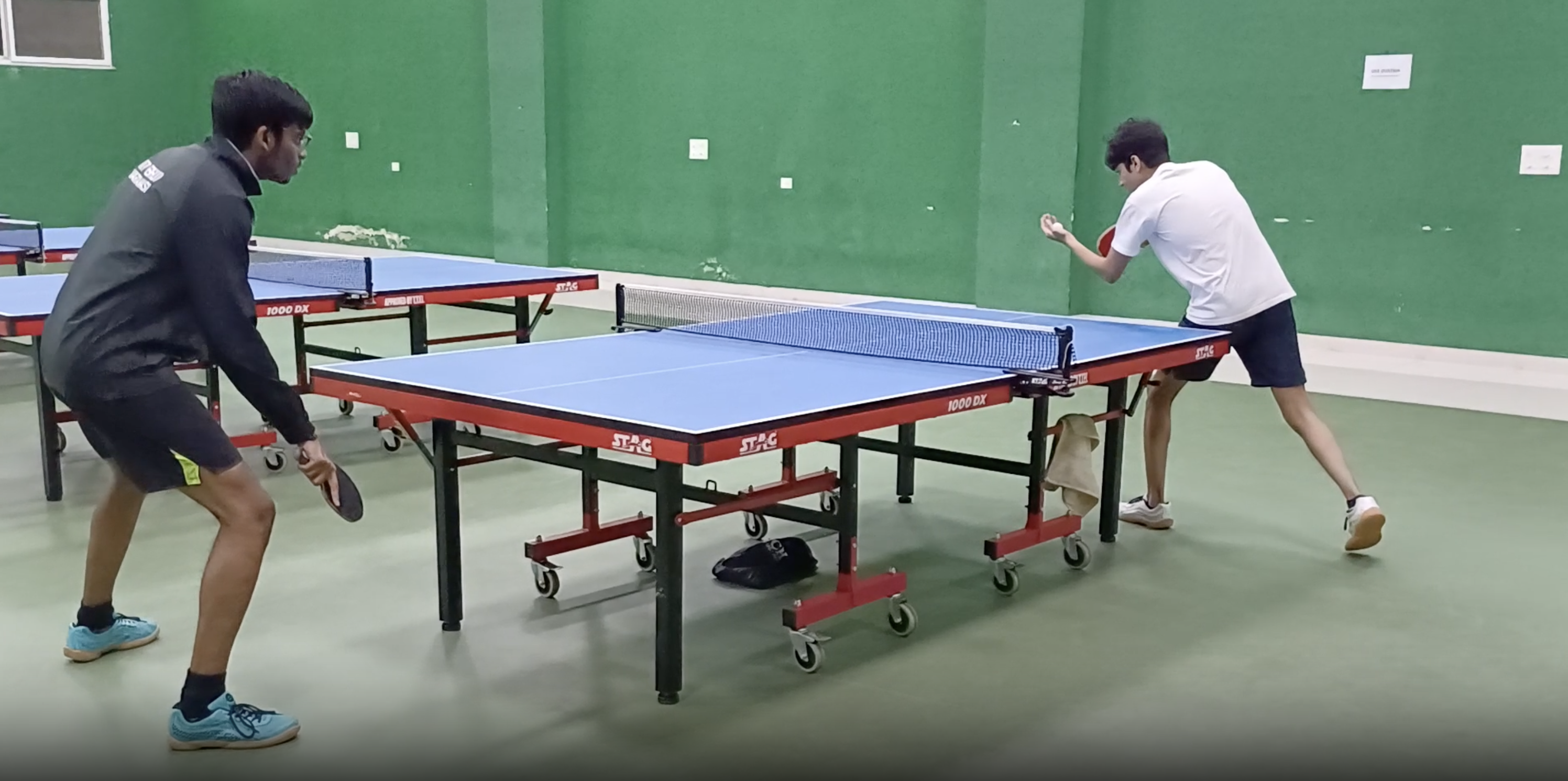
Stand here
Important: If you stand on the near side (same side as the camera), the analysis will not be accurate.
Sign In
Sign in with your Google account to analyze your game.
![]()
Processing
⏳ uploaded
⏳ rally detection
⏳ stroke analysis
Stroke Statistics
--
Total Strokes
--
Forehands
--
Backhands
--
Rally Time (sec)
Per-Rally Breakdown
| Rally |
FH |
BH |
FH Time |
BH Time |
Total |
Recommended Training
Drills for You
Services to Exploit Opponents